
A glucose monitor that loses its link overnight. An infusion pump that stops talking to the nurses' station. A heart patch that sends data in bursts instead of a steady stream. None of these is a dramatic failure, but in healthcare, small wireless glitches can carry real consequences.
As more medical equipment goes wireless, wireless medical device testing has moved from a nice-to-have to a core part of development. Here is what makes these devices hard to test, which problems show up most often, and how a controlled RF environment helps teams find them early.
Medical devices rarely have the luxury of a quiet radio environment. Hospitals are packed with Wi-Fi access points, Bluetooth gadgets, mobile phones, telemetry systems and electrical equipment. Homes are not much better, with routers, smart speakers and microwave ovens competing for the same airwaves.
On top of that, many devices are tiny, battery-powered and worn on the body, so their antennas are small and their power budgets are tight. And the stakes are higher than for a consumer gadget. A fitness tracker that drops a connection is annoying; a patient monitor that does is a safety question. That is why medical device RF testing goes beyond "does it connect?" and asks "does it keep connecting, under stress, every time?"
Connected clinical equipment such as infusion pumps, monitors and diagnostic units usually share space with a lot of other radios. Their main challenge is wireless coexistence, staying reliable while many transmitters operate nearby.
Wearable health monitors worry about the body. Skin and tissue absorb radio energy, antennas sit close to the wearer, and orientation changes constantly. Careful wearable health device testing looks at performance at different angles and positions.
Remote patient monitoring devices have to keep a link alive between the patient's home and the care team, often through a phone or hub and then over a cellular or Wi-Fi connection. A weak link anywhere along that path breaks the chain.
Most connected medical products rely on one or more of three technologies:
Together with sensors, gateways and cloud services, these form the world of medical IoT testing, where reliability depends on every link working together.
Outside signals can swamp a weak medical device signal or force it to retry, draining battery and delaying data. Wireless interference testing exposes the device to known unwanted signals and records how it reacts.
A device can work perfectly alone and fail the moment other radios join in. RF coexistence testing checks that Bluetooth, Wi-Fi and cellular links share the spectrum, and even share the same device, without hurting each other.
Dropped links, slow reconnections and lost packets are the symptoms users notice. Engineers look at how the device behaves as signal strength falls, how quickly it recovers, and whether data stored during an outage is delivered afterwards.
Perhaps the most frustrating problem is a test that passes in the morning and fails in the afternoon, simply because someone switched on a router down the hall. Without control over the environment, you cannot tell a design flaw from background noise.
RF isolation testing puts the device in a space where outside signals cannot reach it and its own signals cannot escape. Everything inside is intentional. That brings clear advantages:
Isolation does not replace real-world trials in homes and clinics. It gives you a reliable baseline so that when you do go into the field, you already know the radio is sound.
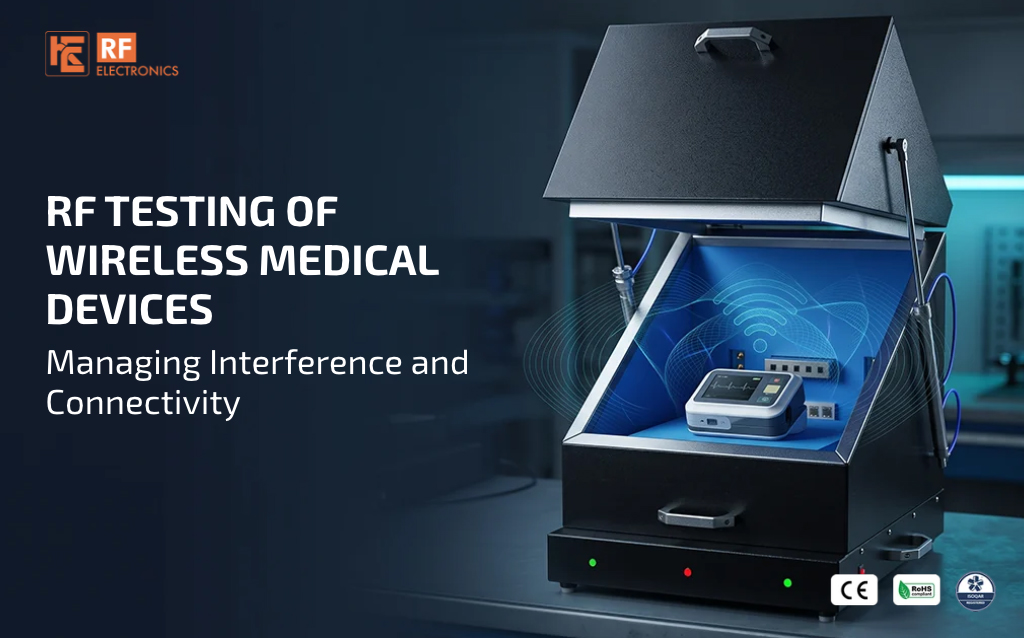
For component-level and device-level work, an RF Shield Box for medical devices is the practical starting point. The device sits inside a sealed enclosure, connected to instruments through filtered interfaces, so signals cannot leak in or out along the cables. RF Electronics provides Medical Device Testing Shield Boxes and RF Shielded Boxes for exactly this purpose, helping create the controlled conditions that make test results consistent.
The range includes benchtop, rack-mount and standalone shield boxes, models with turntables for orientation testing, filter modules, antenna assemblies and full turn-key test setups. You can browse what is available on the medical solutions page and the medical products page, or look through the full RF Shield Box range. If your device has unusual requirements, the shield box configurator lets you build a setup around it.
Wireless medical devices earn trust through patience: many small, careful, repeatable tests that catch problems long before a patient meets them. Control the environment, and your results start to mean something.
If you are planning a test setup for a connected medical device, the RF Electronics team offers a free consultation to help you choose the right configuration.
Q1. What is wireless medical device testing?
It is the process of checking that medical devices with Bluetooth, Wi-Fi or cellular connections work reliably, including how they handle interference, coexistence and weak signals.
Q2. Why do medical devices need RF isolation testing?
Isolation removes outside signals from the measurement, which gives clean, repeatable results and makes it possible to apply interference in controlled, known amounts.
Q3. What is RF coexistence testing?
It checks that several wireless technologies, such as Bluetooth and Wi-Fi, can operate at the same time, in the same device or nearby, without degrading each other's performance.
Q4. Can one shield box be used for wearables and larger clinical equipment?
It depends on size and test requirements. Compact benchtop boxes suit wearables and modules, while larger standalone or rack-mount options suit bigger equipment.
Q5. Does shielded testing replace real-world trials?
No. It gives a controlled baseline so that problems are found early, and real-world testing then confirms how the device behaves in homes, clinics and hospitals.
Next Blog
RF Testing for Military Radar Systems Signal Integrity, Antenna Performance and Shielding
Learn More

 Free Consultation


